

Query with AI
The Query page lets you explore data from your Aurora-connected Kafka streams using natural language. You don’t need SQL or knowledge of the database schema — just ask a question, and Aurora instantly generates the query and displays the results.
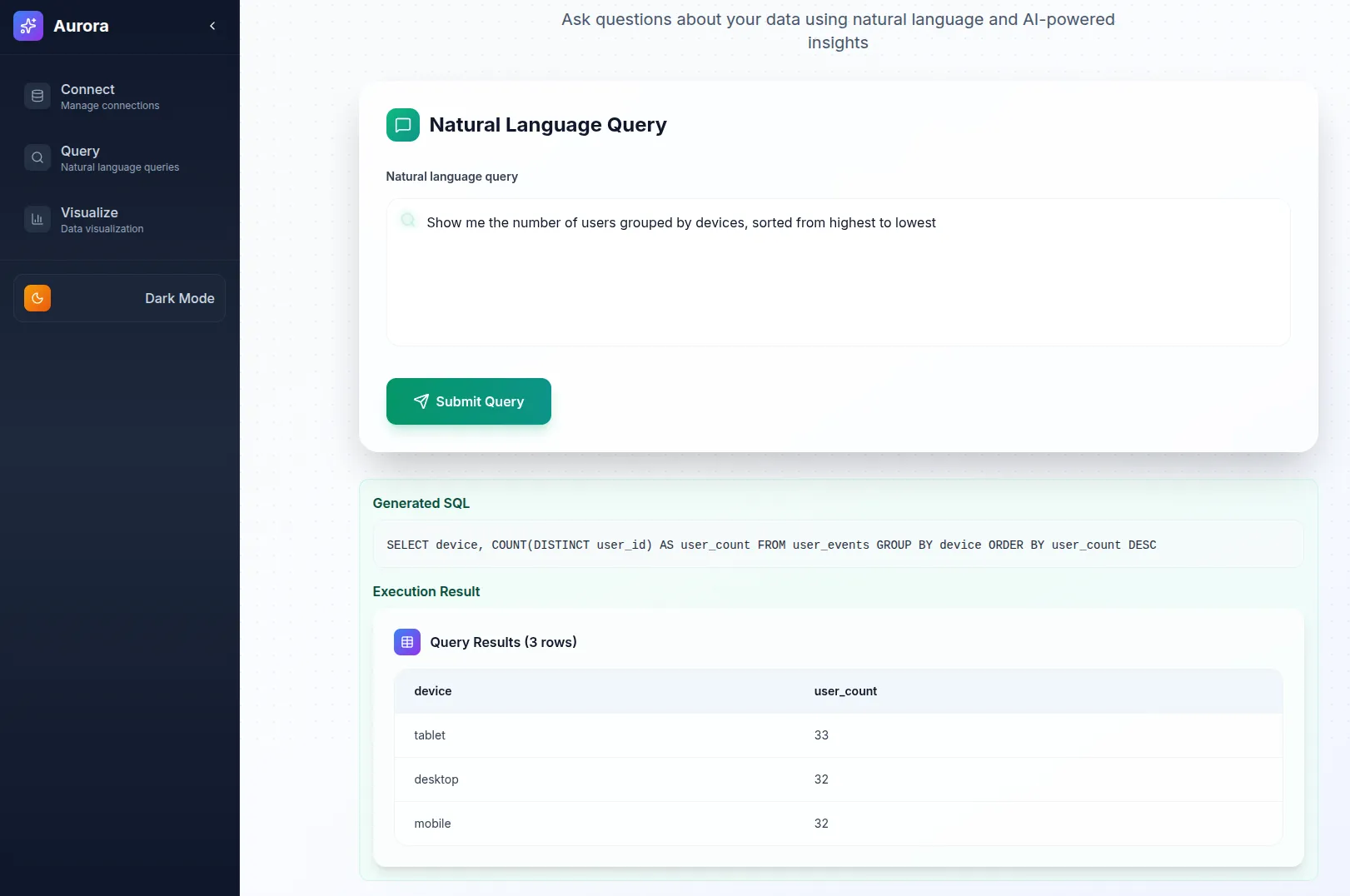
- Access the Query Page
- Navigate to
/queryin your web browser, or click Query in the sidebar. - The natural language query interface will load.
- Navigate to
- Enter a Question
- Type your question in the query box using natural language.
- Example queries:
- “Show me the top 10 customers by revenue”
- “How many orders were placed last week?”
- “What are the most popular products this month?”
- Submit Your Query
- Click Submit or press Enter.
- Aurora analyzes your question and generates the corresponding SQL behind the scenes.
- View Results
- The generated SQL is displayed for transparency.
- Query results appear in a table below the SQL.
- Refine Your Query
- If results aren’t what you expect, rephrase your question.
- Add more context or specificity (e.g., time range, product category).
Tips for Better Results
Section titled “Tips for Better Results”- Specify time ranges (e.g., “last 30 days”, “this month”).
- Mention table or column names if you know them.
- Use business terms that align with your data schema.
- Try alternate phrasings if the first attempt doesn’t give the expected results.
Example Queries
Section titled “Example Queries”- “Show me user activity by hour for the last 24 hours”
- “What are the top 5 pages by page views?”
- “How many unique users visited our site today?”
- “Show me all orders with amount greater than $100”